


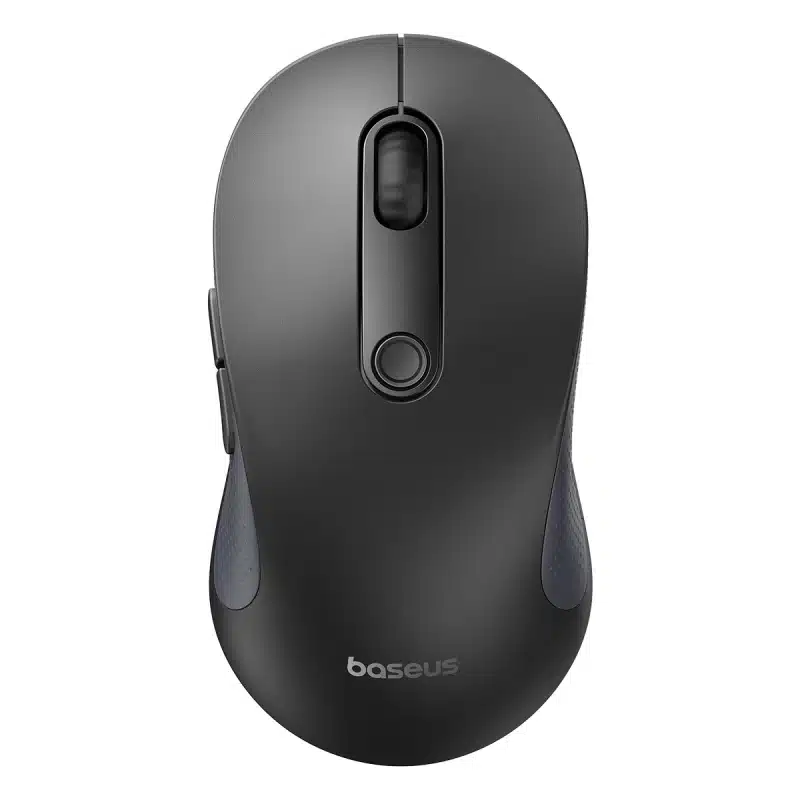
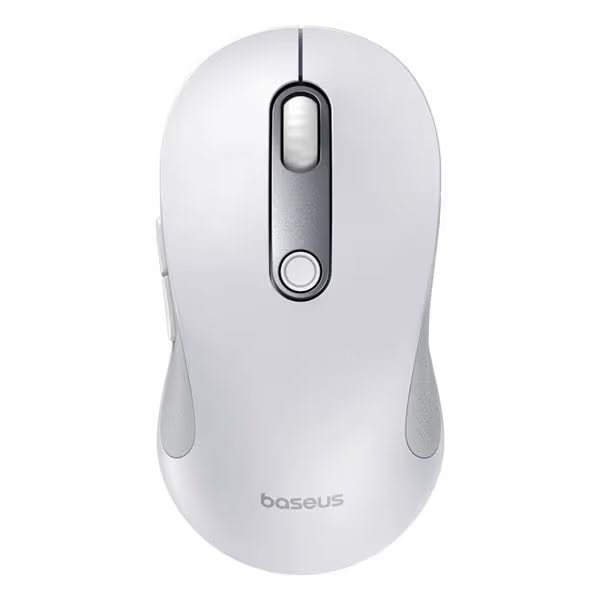


Baseus F02 Ergonomic Wireless Mouse Review: Silent Precision for Modern Workspaces
The Baseus F02 Ergonomic Wireless Mouse delivers comfort, speed, and flexibility in one compact device. It targets professionals, students, and gamers who need smooth performance during long sessions. Moreover, its ergonomic structure reduces wrist pressure while maintaining precise control.
Unlike traditional mice, this model combines advanced wireless technology with a lightweight design. As a result, users enjoy better mobility and less fatigue throughout the day.
Dual-Mode Connectivity Enhances Flexibility
The mouse supports both Bluetooth 5.2 and 2.4GHz wireless connectivity. Therefore, switching between laptops, desktops, and tablets becomes effortless. Users can instantly connect through the USB nano receiver or Bluetooth mode without delays.
Additionally, the quick-switch system pairs with up to three devices simultaneously. This feature improves workflow efficiency because users can move between devices with one click. Consequently, multitasking feels smoother and more organized.
Adjustable DPI Levels Deliver Precision
The Baseus F02 includes five adjustable DPI levels for different tasks. Users can cycle through 1000, 1600, 2000, 2400, and 4000 DPI settings instantly. Therefore, the mouse adapts easily to office work, graphic design, and gaming needs.
Furthermore, the optical sensor performs accurately on wood, fabric, and leather surfaces. Even on high-resolution 4K and 8K monitors, cursor tracking remains stable and responsive. As a result, every movement feels controlled and precise.
Ergonomic Design Supports Wrist Comfort
Comfort remains one of the strongest advantages of this wireless mouse. The 45-degree handshake angle naturally shifts pressure away from the wrist. Consequently, users experience less strain during extended computer sessions.
In addition, the integrated thumb rest prevents friction against desk surfaces. This small detail improves grip stability while enhancing overall comfort. Because of its thoughtful structure, the mouse feels natural in the hand.
The ultra-lightweight 90-gram frame also reduces repetitive muscle stress. Therefore, users can work longer without discomfort. Meanwhile, the PTFE Teflon glide pads ensure smooth and silent movement across multiple surfaces.
Silent Clicks Create a Distraction-Free Environment
The Baseus F02 uses 30dB silent switches for quieter operation. Consequently, clicking sounds remain minimal in offices, libraries, and shared spaces. This feature benefits professionals who work in quiet environments.
Moreover, the soft-click feedback still feels responsive and satisfying. Users maintain accuracy without creating distracting noise around them. Therefore, productivity improves while maintaining a peaceful workspace.
Programmable Controls Improve Workflow
Customization plays a major role in the mouse’s functionality. The orange shortcut button supports programmable commands through the Baseus app. Users can assign screenshots, macros, or productivity shortcuts instantly.
Additionally, the seven-button layout improves navigation speed. Dedicated forward and backward thumb buttons simplify web browsing and document navigation. As a result, daily tasks become faster and more convenient.
The physical power toggle also helps preserve battery life. Therefore, users maintain better energy efficiency during travel or storage.
Intelligent Power Management Extends Battery Life
The mouse automatically enters dual-stage sleep modes during inactivity. Consequently, power consumption stays low throughout the day. This smart feature increases battery longevity without sacrificing convenience.
Additionally, the integrated LED warning indicator alerts users when battery levels drop. The red pulse notification prevents unexpected shutdowns during important tasks. Therefore, users stay prepared and uninterrupted.
Smooth Performance Across Multiple Surfaces
Many wireless mice struggle on textured surfaces. However, the Baseus F02 maintains smooth tracking almost anywhere. Whether used on wood desks, fabric mats, or leather surfaces, movement remains fluid.
Furthermore, the Teflon feet minimize drag and resistance. As a result, cursor movement feels highly responsive and consistent. This performance advantage supports both productivity and entertainment.
Lightweight Construction Improves Daily Use
Heavy mice often cause wrist fatigue after prolonged usage. However, the Baseus F02 avoids that issue with its lightweight body. At only 90 grams, it feels agile and effortless during movement.
Because of its compact structure, the mouse also travels easily inside laptop bags. Therefore, professionals and remote workers can carry it comfortably between locations.
Why the Baseus F02 Stands Out
The Baseus F02 combines ergonomic comfort, silent operation, and modern connectivity in one affordable device. Additionally, its customizable controls and precise tracking create a more productive experience.
Unlike standard office mice, it focuses heavily on user comfort and flexibility. Therefore, it suits both professional and casual users who spend hours at a computer.
From multi-device support to silent clicks, every feature contributes to smoother daily workflows. Consequently, the mouse becomes a reliable tool for modern digital environments.
Final Thoughts
The Baseus F02 Ergonomic Wireless Mouse offers an impressive balance of comfort, precision, and quiet performance. Its ergonomic angle reduces wrist strain, while adjustable DPI levels improve control across various tasks.
Moreover, silent switches and multi-device connectivity make it ideal for productive workspaces. Because of its lightweight build and customizable features, the mouse delivers exceptional value for everyday users.


 Trimmer & Shaver
 Charger
Reviews
There are no reviews yet.